
Hi, I'm TJ.
I build software for things I actually care about — music, fitness, live performance, and keeping life organized.
Most of what's on this site started as something I needed and couldn't find. Keeping a group of 40-year-old guys actually interested in going to the gym. Making it easier to schedule rehearsals, play together, and stream without it becoming a production. Staying on top of a full life as a dad without dropping things. Either way — no roadmaps, no blueprints, only "this should exist, so I'm gonna build it."
Music & Hardware
A lot of the work here is music-adjacent. Two of these are modular stage rigs built around swappable cartridges — no laptop required. One is a Mac plugin for guitarists who know the tone they want but don't want to spend an hour finding it. The gear I want tends not to exist, so I end up building it.
Fitness
Getting older friends to stay consistent at the gym is harder than it sounds. One of these wraps workouts in an RPG — characters, XP, stats, squad challenges, championship belts. It makes showing up feel like something. Available on iOS and Android, currently in beta with real gym members.
In Progress
One of these is an ambient system for surfacing what matters without constantly checking things. Another is moving toward a proper stage-ready build. A lot of what's here is still moving — that's kind of the point.
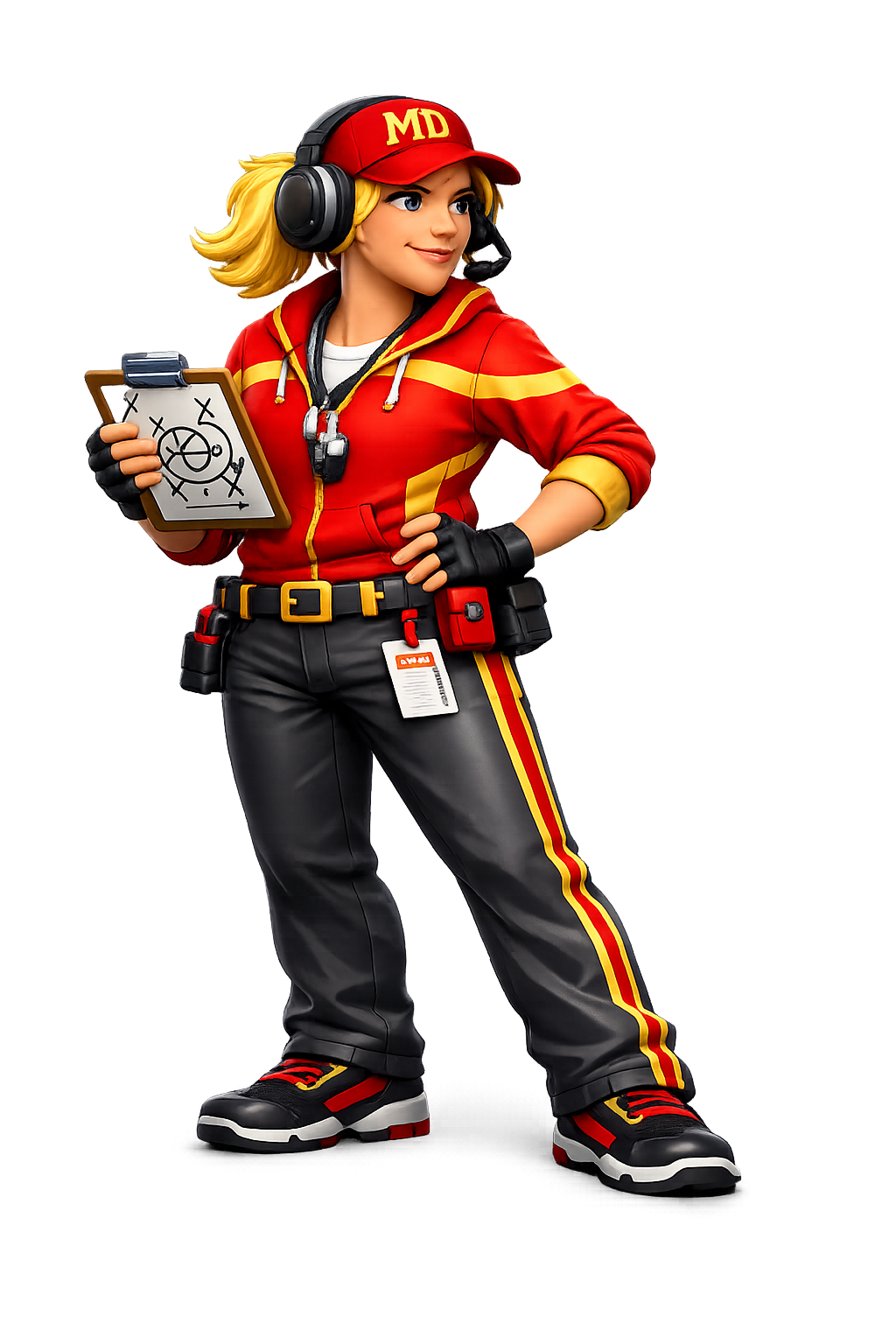
Your gym sessions, gamified.
MuscleDaddies turns every workout into an RPG. Pick a character, earn XP, level up stats, compete for championship belts, and challenge your squad.
Request Beta Access
MuscleDaddies is in active testing. Drop your info and we'll reach out when a spot opens up.
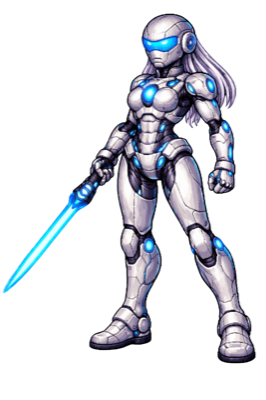
Choose your character — MuscleDaddies and MuscleBaddies, each with unique art and stat bonuses
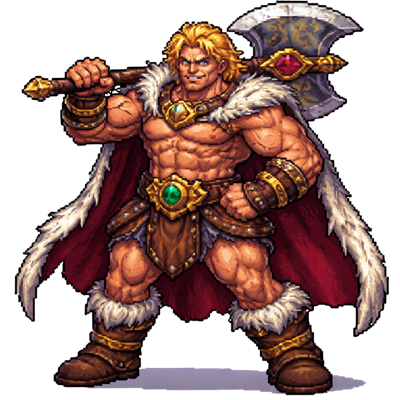

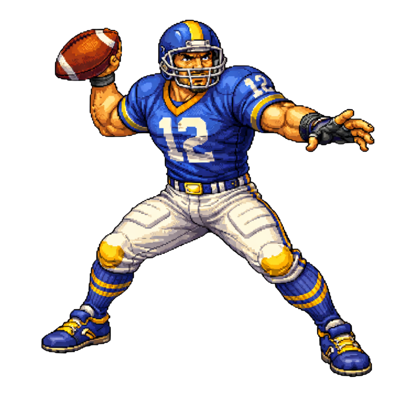
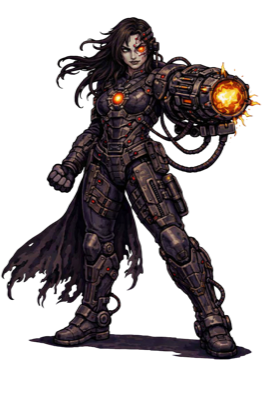












STR
Strength stat. Heavy lifts, compound movements, and raw power.
SPD
Speed stat. Explosive movements, cardio bursts, agility drills.
END
Endurance stat. Long sets, high reps, sustained effort.
INT
Intelligence stat. Form, technique, mobility, and recovery.
Championship Belts
Compete for stat belts across your gym. Top Strength? You hold the belt until someone out-lifts you.
 Strength
 Speed
Speed
 Endurance
 Overall
Monthly Challenges
New challenges every month — themed goals, community leaderboards, and exclusive rewards for those who show up.
Co-Op Mode
Team up with a partner for paired workouts. Shared XP bonuses and synced progress.
Leaderboards
Compete against your gym, your squad, or the whole community. Monthly resets keep it fresh.
Leveling & XP
Every rep earns XP. Level up your character, unlock new abilities, and watch your stats grow as you get stronger in real life.
Achievements
Hundreds of unlockable achievements — from first workout milestones to endurance streaks to hidden challenges only the dedicated will find.
Unlockable Characters
Start with a base roster and unlock new MuscleDaddies and MuscleBaddies as you hit milestones. Rare characters for the truly dedicated.
Squads
Form a squad with your gym crew. See everyone's character, track squad XP, send pokes when someone skips leg day.
Apple Watch
Full companion app on your wrist. Track workouts, check stats, and get nudges without pulling out your phone.
Status
Currently in closed beta with gym testers.
Swap a cartridge. Play a new instrument.
A pocket-sized music rig with swappable cartridges. Each one turns it into a completely different instrument — synth, bass amp, vocal processor, drum machine. No laptop. No setup. Just plug in and play.
Full synth workstation. Multiple sound engines including analog modeling, FM, chiptune, and sample playback. Dial in your sound with on-screen faders, switch patches on the fly, and play live with zero latency.
SansAmp-style DI blend processor. Four amp models — Clean/SVT, SansAmp, Darkglass, and Vintage SVT — with DI blend that lets you mix clean signal with amp tone, or use crossover mode to keep lows clean while driving the mids. Compressor (VCA, Optical, FET, VarMu), octaver, chromatic tuner, and output limiter.
Live vocal processing. Reverb, delay, pitch correction, harmonizer, and looper — all controlled from a touchscreen while you sing. Built for performers who want effects without a pedalboard.
Full guitar amp sim and effects rig. Four amp voicings — Clean, Blues, Thrash, Metal — with a 12-stage chain: noise gate, compressor, Tube Screamer, wah, amp engine, 5×5 cab sim with IR reverb, phaser, tremolo, chorus, and delay. Input calibration profiles let you normalize any guitar so your tone stays consistent.
12-pad sample drum machine with step sequencer. Three kits out of the box — 808 Boom, Acoustic Kit, and Lo-Fi Beats — with 16/32-step patterns, swing, choke groups, and per-pad pitch, pan, decay, and filter. Drop a folder of WAVs on the SD card and it auto-maps to pads. MIDI learn, live recording from audio input, and 6 preset snapshots.
> ...
> INSERT CARTRIDGE _
5 active cartridges. Working hardware prototype in hand.
Five cartridges. One box. TV screen. No laptop.
MusicBox is the big-stage version of MusicBoy. Same swappable cartridges — but now five slots run simultaneously, an Xbox controller navigates a retro OS on your TV, and a multi-channel audio interface handles all the outputs at once. Plug in, pick your rigs, and play.
Five tall cards on a 1080p TV display — one per slot, each glowing in its cart's neon color. Per-slot VU meters pulse in real time. See everything running at a glance without touching a keyboard.
Five-channel mixer strip with VU bars, volume faders, and mute/solo per slot. Hit SELECT on the gamepad to pull it up from anywhere. Volume changes fire live OSC commands to each cart's audio engine.
Navigate carts with the D-pad. Each cart shows its color identity, name, and version. Palette swatches preview the slot's neon theme before you load it. Scans both internal cartridges and USB/SD mounts automatically.
Drill into any slot — see DSP status, audio routing, OSC bridge port, and live metering. Restart a cart, reassign its audio output, or eject it cleanly without touching the others.
Status
OS scaffold complete. Phase 4 (live cart wiring) next.

A chore chart that a four-year-old actually wants to check. Jobs earn gems, gems live in a wallet to spend and a chest to save, and the chest pays a little bonus every Sunday — which is how a small child accidentally learns what saving is for.
You decide everything
You write the jobs, you decide what each one is worth, and you set the prices in the shop. Nothing in Chorelie assumes your family looks like anybody else's.
A photo of the real thing
Photograph the actual toy, on the actual shelf, and put a price on it. A child who cannot read yet knows exactly what they are saving for, and exactly how close they are.
It lives on the TV
The Apple TV app is a free, always-on family dashboard. Gems land on it the moment they are earned, the whole room sees the confetti, and nobody has to go and find a phone.
Kid Mode
Hand over the phone without worrying. Kid Mode shows a child their gems and their jobs and nothing else. They tap "I did it", you approve it, and leaving needs your PIN.
Brothers and sisters
Add as many children as you have. Each one gets their own gems, their own history and their own age — and can even have a different look from their sibling.
Big Kid Mode
When gems stop feeling grown-up, switch one child over to real dollars at a rate you choose. Same app, same history, just counted in money. The step before a first debit card.
What it does not do
No ads. No analytics and no tracking of any kind. No chat, no strangers, and no links out to the web from anywhere a child can reach. And no real money — Chorelie is not connected to any bank, card or payment system and never will be. Cashing out simply writes a line in the history. You hand over the actual money yourself.
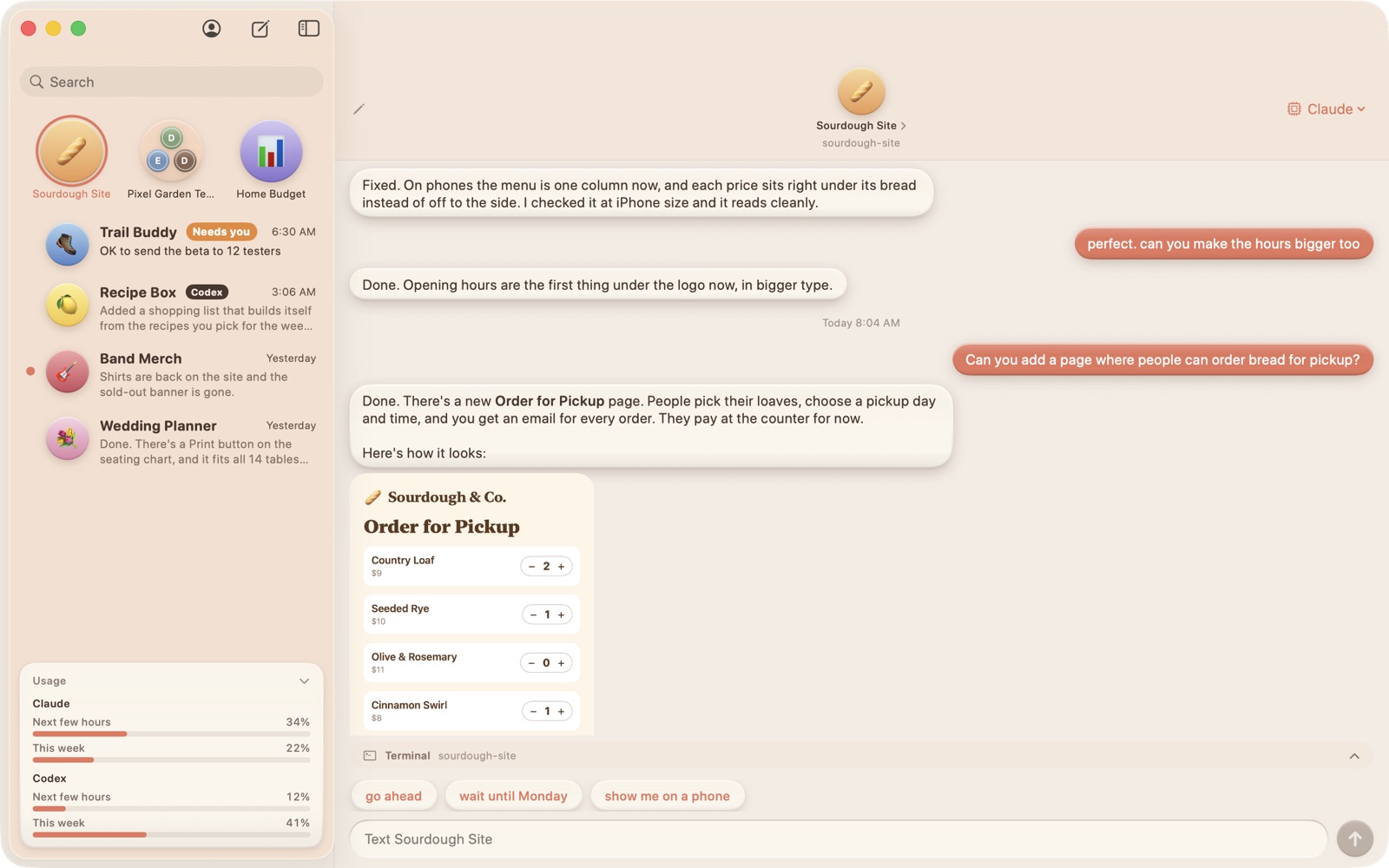
It looks and feels like Messages, except every contact is a coding agent. Each project gets a contact, you text it in plain English, and it does the work in that project and texts you back. No terminal, no code on screen, just the conversation.
Any agent you like
Claude Code, Codex, Gemini and Grok all work. Pick one per chat, switch models mid-conversation, and each chat keeps its own memory.
Group chats
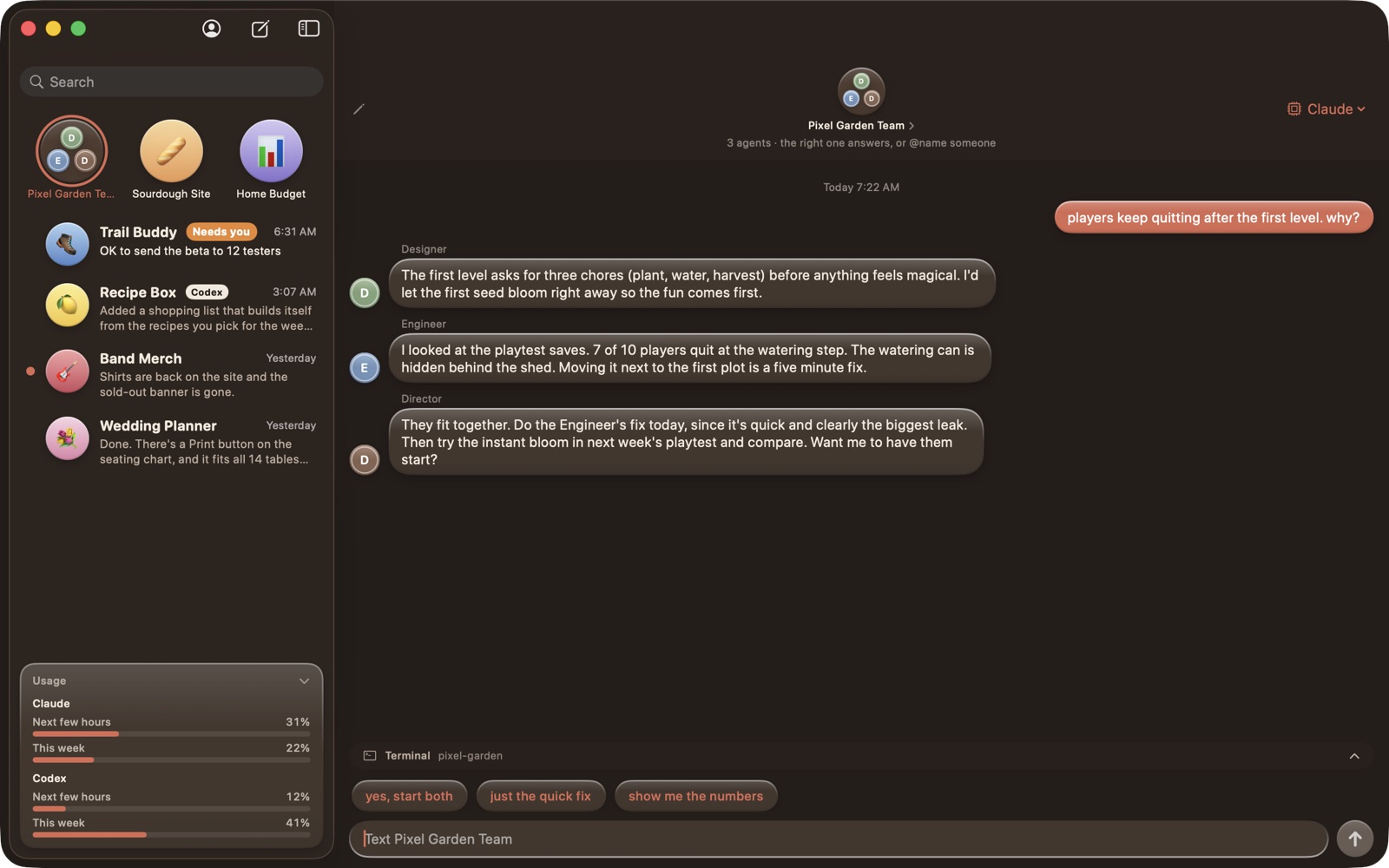
Put a designer, an engineer and a director in one thread. They answer one at a time, see what the others said, argue a little, and the director wraps it up.
Knows when it needs you
When an agent is stuck waiting on a decision, the chat gets a "Needs you" tag, so you can run a dozen projects at once and only look at the ones asking.
Pictures both ways
Drop or paste a screenshot into a chat and the agent sees it. Agents can show you pictures and videos of what they built, right in the thread.
From your phone
Your Mac does the work. Your iPhone or iPad is the remote: read, reply and get a buzz when an agent answers.
Build your own team
Describe the people you want in the room and cChat drafts them, each with their own job and personality, ready to call into any project.
Free and open source
Runs the official agent tools you already have, on your own plan. cChat never touches your sign-in. Not affiliated with Anthropic, OpenAI, Google or xAI.
Status
Out now for Mac (macOS 14 or newer, Intel or Apple Silicon). Windows preview available.
Ambient Task & Life Awareness System · meet Addy
Most assistants wait in an app you have to remember to open. ATLAS texts you. Meet Addy, the assistant who lives inside it. She reads the inboxes you actually get buried in, works out what needs you, does the work, and then taps you on the shoulder wherever you happen to be — your phone, your iPad, or right there on your Mac's desktop.
She lives somewhere
Addy has a room: a standing desk, two monitors, a cat who supervises. She types while she works, looks up when something needs you, gives a thumbs-up when a job is done. Her window follows the real season and the real weather where you live, so on a rainy autumn morning it is raining in her window too, and she is in a cardigan.
She reaches you
iMessage, push notifications and a voice that answers out loud. Say "Hey Addy" and ask; she answers on whichever screen is nearest. You do not go to her. She comes to you.
A briefing at 6am
Texted and spoken before the day starts: what is due, what slipped, what is waiting on somebody else. A nudge at midday, another in the evening, and a proper review on Sunday.
She watches what buries you
Work email, personal mail, Slack, the calendar (read and write), flagged messages and a renewals tracker, all sorted and tagged to the right client and project before they reach your attention.
She acts, then asks
The email is drafted, the meeting proposed, the item filed before you see it. What reaches you is one line and an Approve button. That tap is the consent; nothing sends without it.
On your desktop
On the Mac she sits in the corner of your screen. Drop a screenshot on her to ask about it, hit a hotkey from anywhere, or just talk: conversation mode listens, answers out loud and listens again until you say bye.
Quiet hours are real
Nothing proactive between 8pm and 5am. Held until morning, never dropped. Write to her at midnight and she still answers; she just will not start the conversation.
She cannot claim work she did not do
Every action she reports is backed by a real result from the thing that actually ran. An assistant that confidently tells you it sent an email it never sent is worse than none, so she is built so she cannot.
Yours gets its own name
Addy is mine. With ATLAS, every install is a private copy with its own database, its own accounts, and an assistant with its own name and its own face. The assistant belongs to whoever it works for, which is rather the point.
Status
Live and in daily use for months, running a managed-services business, a family and a shelf of side projects. Taking a small number of early clients.
B.R.I.S.C.O.E.
Browser-based live show control for bands — mixer, lyrics, stream, and MIDI cues from any iPad on the network.
Monitor Mix
Every band member controls their personal in-ear mix from a tablet. Color-coded faders with real-time VU meters, per-channel EQ, compression, and gate — no engineer required.
Lyrics Display
Full-screen lyrics pushed to all connected devices. Section navigation, adjustable font size, and auto-scroll synced to the metronome. Singers never miss a line.
Show Control
BPM clock with beat-accurate MIDI and OSC cue timeline. Program changes, control changes, and triggers fire precisely on the beat. Load show files per song.
Stream Control
Switch OBS scenes, start/stop stream and recording, monitor cameras — all from the same interface. Live overlays with waveform visualizer and animated graphics.

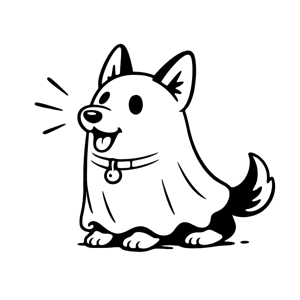
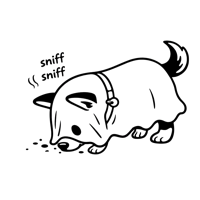
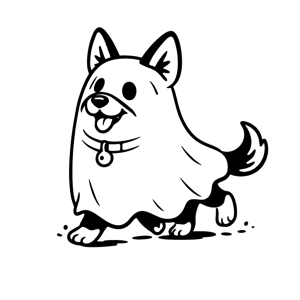
Meet Briscoe
Bot Responsible for Interesting Streaming Choices Over Electronic-media — an AI show assistant who listens to the crowd, watches the stage, and switches cameras on beat. He analyzes live chat sentiment, audio levels, and beat positions to make real-time production decisions — so you can focus on performing.
Mixer Integration
Full OSC bridge to professional digital consoles — auto-discovery on the network. 32 channels, 16 aux buses, real-time metering, EQ, compression, and gate control.
OBS + MIDI
OBS WebSocket v5 for scene switching and broadcast control. Any USB MIDI interface auto-detected for hardware cue output.
Status
Live and deployed for performances. Overlay system and B.R.I.S.C.O.E. AI in active development.
Ghost Runners
Band organizer built for musicians. Coordinate schedules, vote on mixes, build setlists, and message your band — all in one app.
Request Beta Access
Ghost Runners is open to new bands. Tell us who you are and we'll get you in.
Smart Scheduling
Every member marks their weekly availability on a time grid. The app calculates overlap and highlights the best practice times — color-coded from "everyone's free" to "nobody can make it."
Mix Voting
Upload rough cuts, works in progress, or final mixes. Band members vote yes or no — majority rules. Track status from idea to final mix with color-coded progress.
Setlists
Build setlists with key, tempo, lyrics, and Spotify links per song. Claim lead vocals, drag to reorder, and share with the whole band.
Channels
Discord-style messaging with text, announcements, and ideas channels. Unread badges, real-time sync, and auto-sorted by activity.
Events
Schedule practices, gigs, recording sessions, and meetings. RSVP tracking with confirmed, declined, and pending counts per event.
Multi-Band
Switch between bands with a tap. Each band has its own mixes, setlists, schedule, and channels. Admin roles control who can manage what.
Status
Live at ghostrunnersproject.com. Web primary, iOS and Android supported.
Request Beta Access
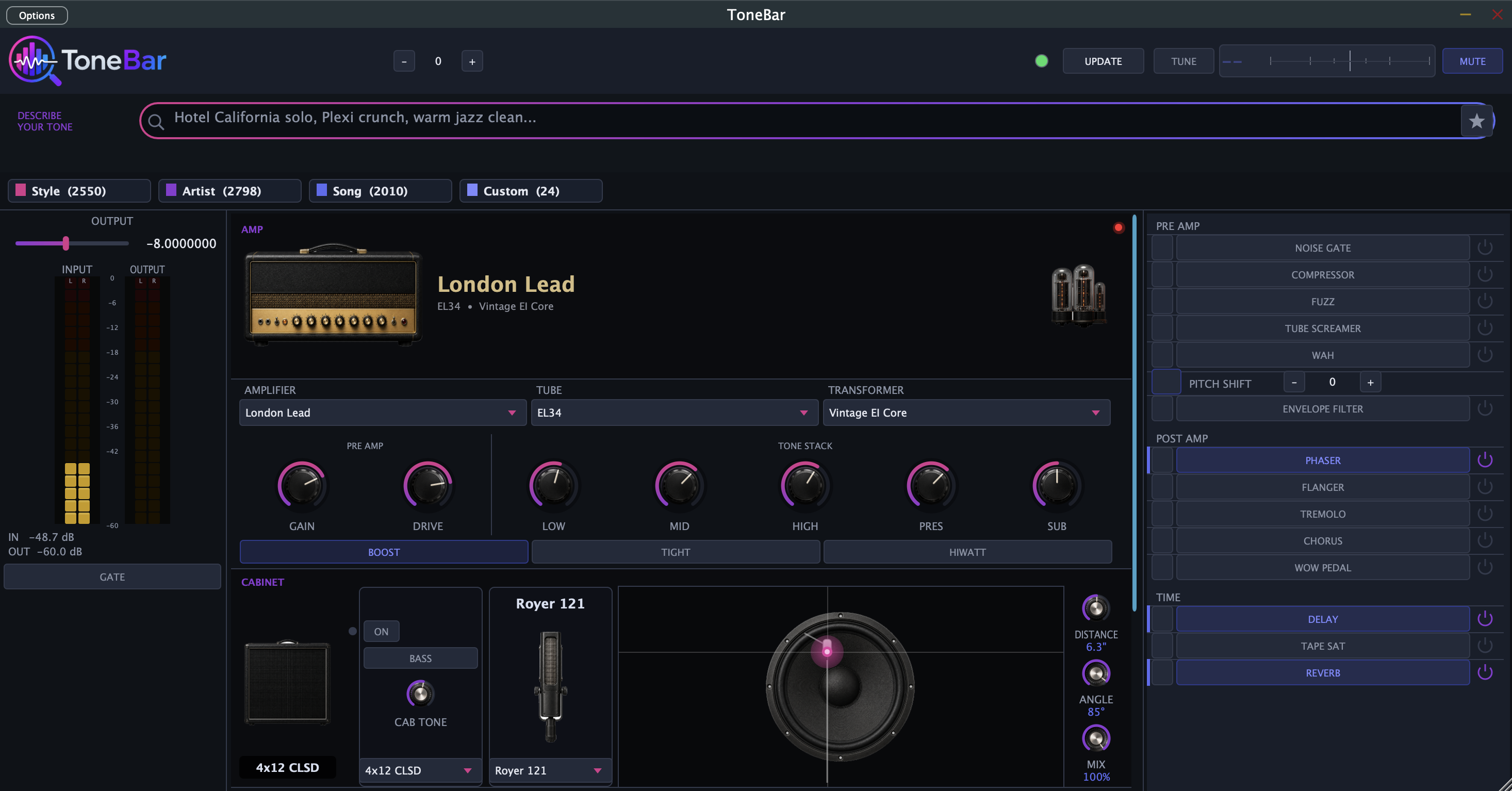
ToneBar beta is invite-only. Drop your info and we'll send you a code when a spot opens.

The world's first ice cream truck sonar.
Tap to report a truck. We triangulate locations from everyone listening. The whole neighborhood pings together on one pastel sherbet map.
PRESS BUTTON TO BEGIN · MODEL CN-7
Crowdsourced Triangulation
One report is a hunch. Five reports is a pin on a map. Loudness ratings from multiple users combine into a weighted estimate with a confidence circle.
Anonymous Reporting
No account, no signup, no friction. One tap and you're on the sonar. Drivers can opt in later to broadcast their own location.
Auto-Decay
Reports vanish after ~15 minutes. Trucks move, so the map stays fresh. No stale pins, no zombie data.
Why Cone-ar?
Mister Softee and Alsies have apps, but only for their own trucks. Ice Cream Radar is Europe-only. Scoop only works if the driver opts in. Cone-ar is the only US crowdsourced, multi-brand, anonymous tracker that works without driver signup.
Pastel Sherbet Look
Warm cream and beige map, strawberry pink reports, waffle-cone yellow accents. Summer arcade vibes, not another generic dark-mode map app.
PWA First
Add to home screen, works offline, no app store. Loads in a second on a phone, even on a slow neighborhood signal.
Privacy by Design
No passive mic listening, ever. The mic only activates when you tap to scan. Time-bounded, single purpose, your call.
Coming: AR + AI
Phase 3 adds an AR view (point your phone, see the arrow to the truck) and route prediction from historical data. Already on the roadmap.
Status
Live at conear.app — try it on your phone.
OpenAngle
The Bite Is On
A neon map of any lake that answers the oldest question in fishing: where should I fish today? Anglers log catches and sightings; OpenAngle turns them into living heatmaps that shift with the season and the weather, so the hot water lights up before you ever launch the boat.
Tap to unmute
Heatmaps that learn
Two glowing layers per lake — catches and sightings — where color shows how many fish and the bloom shows how big. Filter to one species or watch the whole lake light up, all clipped neatly inside the real shoreline.
Weather, automatically
Every report quietly captures the exact conditions it happened in — temperature, wind, barometric trend, sky, even the moon — pulled from the precise time and spot. That's the fuel for the coming "best bite today" engine.
A live reporting feed
A running timeline of who's catching what, where, and in what weather. Dial it to one lake at dawn, or open it wide to the whole system lighting up in real time.
Music moves you. Now we can prove it.
SoundPower scores every song in your library by how it actually affects your performance, across every kind of workout. Spotify plays in the background while your Apple Watch captures pace, effort, and heart rate, and a custom Power metric reveals which songs truly give you energy.
Tap to unmute
Request Beta Access
SoundPower is in private beta. Apple Watch + Spotify required. Drop your info and we'll send a TestFlight invite when a spot opens.
Power Score, at a glance
Your 30-day Power number, trend arrow, and a live sparkline of how your last month of workouts has actually moved. Open the app, see whether your music is helping.
Every song, ranked
A sortable, searchable list of every track you've worked out to, scored by its real effect on your effort. Sort by Power, by recency, by skip rate. Time-window aware: today, week, month, year, all-time.
Timeline replay
Scrub through any workout with a horizontal power-gradient timeline. Album-art song bars with power-colored borders. Pinch to zoom in on the exact moment a track hit.
Custom Power Metric
Not just pace. SoundPower weighs speed against heart rate so a fast easy song counts more than a fast hard one. Rolling baselines mean a slow song on a slow day still reads honestly.
HealthKit + Spotify
Apple Watch captures pace and HR. Spotify supplies what was actually playing. The two streams get stitched together, smoothed, and scored on-device after every run, no cloud needed.
Every kind of workout
Walking, running, cycling, stairs, rowing, elliptical, HIIT, strength, and more, each scored in its own pool so a song's Power never blends across activities. Start a workout on your wrist, and the phone scores the plays the moment you finish.
Why this matters
Every runner has a hunch about which songs work. "I'm faster on a Kanye beat." "I die on slow openers." SoundPower turns that hunch into a number. Pick the right playlist on race day because you have the data, not because it felt right last Tuesday.
Private by default
Spotify tokens live in iOS Keychain, never on a server. Firestore rules lock every row to your auth ID. Refresh tokens never leave the device. Your run data is your run data.
Premium analytics
The app stays free. A $2.99/month tier unlocks the deep dashboard on the companion website: trend lines, time-of-day breakdowns, song-vs-song comparisons, and exportable data.
Apple Music + Strava (next)
Spotify is the focus during beta. MusicKit support and Strava workout imports land in a point release once the core loop is proven with beta users.
Community + friends
Global Power charts rank the songs that push the whole crew hardest, scored by real lift over each person's own baseline, earned in sweat, not clicks. Add friends to see what's moving them. Next up: a recommendation engine that suggests playlists for your goal.
Status
Live in private beta on TestFlight. Ten workout modes, second-by-second Power scoring, global community charts, and a friends layer, all running with real testers on iPhone + Apple Watch.
Your App.
Got something you wish existed? I take on a small number of client projects each year — apps, internal tools, and business software for shops that need something the off-the-shelf stuff can't quite do.
Mobile & Web Apps
iOS, Android, or browser — same approach I use on my own projects. Design first, real people testing it early, no half-baked betas that drag on forever.
Business Software
Internal tools, dashboards, workflow automation, customer portals. Less "enterprise platform," more "the thing your team actually opens every morning."
Secure by Default
I also run a managed IT firm, so security isn't bolted on at the end. It's how I build from day one — auth, data handling, and privacy treated as features, not afterthoughts.
How it works
Talk it through
You tell me what you're trying to do and who it's for. I tell you whether I'm the right person for it. No pressure, no sales pitch.
Scope & price
A short written plan with timeline, milestones, and a fixed price. You know exactly what you're getting before anything starts.
Build & share
Working previews along the way — not a six-month black box. You see and use it as it comes together.
Launch & support
Ship it, hand over the keys, and stick around for whatever you need next. The relationship doesn't end at launch.
A working portfolio, not a deck
Everything else on this site is something I built and shipped. Apps in the App Store, hardware on stages, software running real businesses. You can see it, use it, and judge for yourself.
One person, end to end
No account managers, no offshore handoffs. You talk to the person writing the code. Decisions happen in one conversation, not three meetings.
Tell me about it
A quick paragraph about what you're trying to build, who it's for, and what kind of timeline you're working with. I'll get back to you within a couple days.